Automate
Make your phone or tablet smarter with automation

Make your phone or tablet smarter with automation
An action block that waits for the user to add this block as a home screen widget.
The fiber will pause until this block have been chosen as a widget.
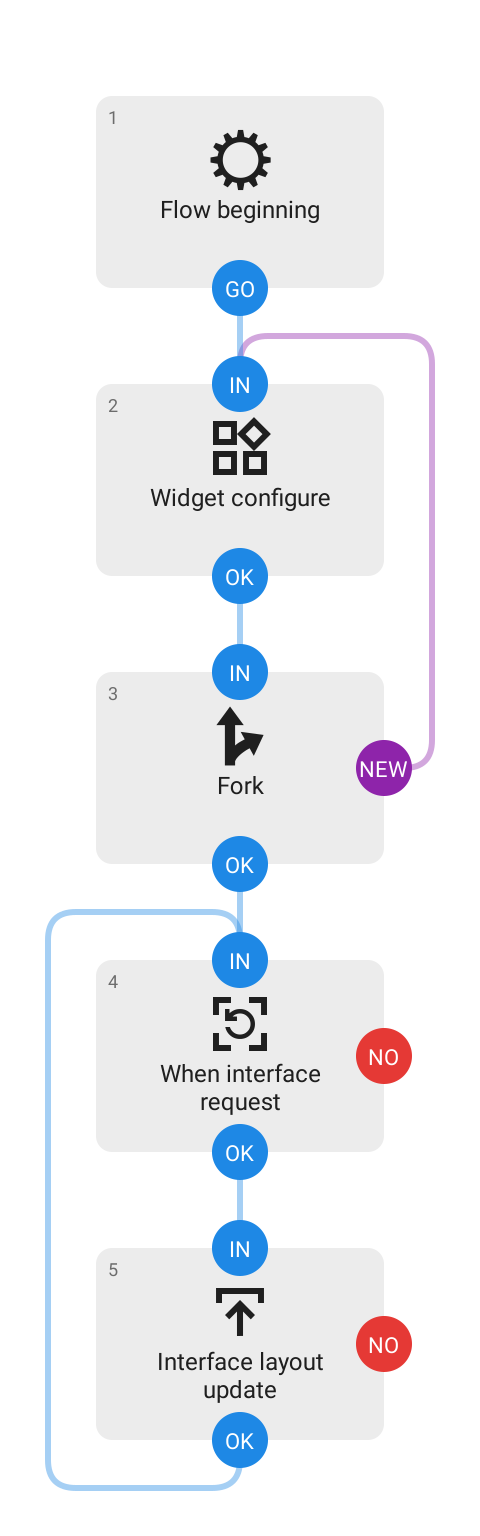
This block must be followed by a Interface request block within the same fiber that signals the configuration stage complete, and to wait for another widget to be added, followed by Fork with its NEW path connected to this block, see example flow below.
Note! This is an experimental feature, expect breaking changes. Not for production use.